
Download Songr Portable – Fast, Free MP3 Music Downloader
Overview
Songr Portable is a lightweight, Windows‑compatible program that lets you search for and download MP3 music straight from the internet without the hassle of traditional peer‑to‑peer (P2P) networks or BitTorrent clients. Instead of sifting through dozens of web pages, Songr aggregates results from more than ten specialized search engines, delivering a clean list of downloadable tracks in seconds. The portable edition means you can run the tool from a USB stick or any folder without a formal installation, making it perfect for travelers, students, or anyone who needs a quick music grab on the go. While the software does not include a resume‑capable downloader, it compensates with a straightforward interface, instant streaming preview, and a one‑click download button. All files are saved in the standard MP3 format, ready for playback on any device. During extensive testing, Songr Portable proved reliable, fast, and surprisingly accurate at locating legal, royalty‑free tracks. For music lovers who want a simple, free, and secure way to build a personal library without navigating complex torrent sites, Songr Portable stands out as an indispensable tool.
Key Features, Compatibility & Pros / Cons
Feature Highlights
- Simultaneous search across 10+ music‑focused search engines.
- Instant MP3 preview streaming before download.
- One‑click download saves files directly to your chosen folder.
- Portable design – run from USB or any directory without installation.
- Built‑in basic tag editor to rename files automatically.
- Lightweight footprint – uses less than 20 MB of RAM.
- Supports Windows 7, 8, 10, 11 and runs on macOS/Linux via Wine.
- Secure HTTPS connections to protect your search queries.
- No ads, no bundled software, and completely free of charge.
- Simple, clutter‑free user interface suitable for beginners.
Supported Operating Systems
Songr Portable is officially built for Windows (7‑11, 32‑bit and 64‑bit). Users on macOS or Linux can still run the application through the Wine compatibility layer, preserving the same portable experience without needing a full Windows install.
Pros
- Fast, simultaneous multi‑engine search saves time.
- Completely free and does not require registration.
- Portable – no installation, perfect for travel.
- Clean UI eliminates distractions and reduces learning curve.
- Low system resource usage, suitable for older computers.
Cons
- No built‑in resume capability for interrupted downloads.
- Limited to MP3 format; no direct support for FLAC or AAC.
- Legal search results depend on the source engines, so copyrighted tracks may be filtered out.
- Advanced users may miss deeper metadata editing options.
Installation, Usage & Frequently Asked Questions
Step‑by‑Step Installation (Portable Mode)
1. Download the zip file from the official Songr website or a trusted software repository.
2. Extract the archive to a folder of your choice – a USB flash drive works best for true portability.
3. Run “Songr.exe” directly; no administrator rights or installer are required.
4. (Optional) Create a shortcut on your desktop for quick access.
The entire process takes under a minute, and because no registry keys are written, you can delete the folder at any time without leaving traces.
How to Search and Download Music
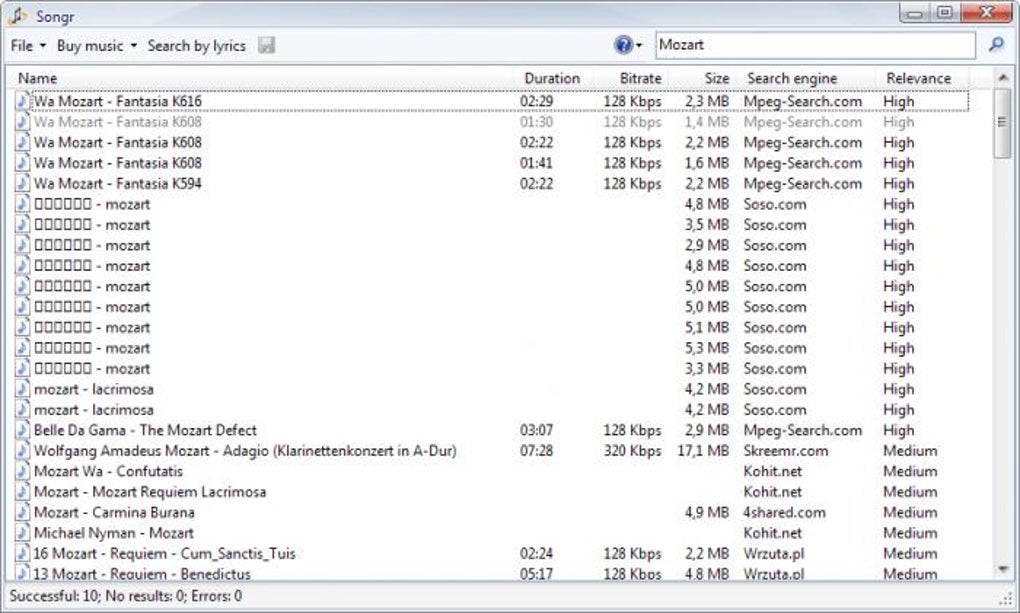
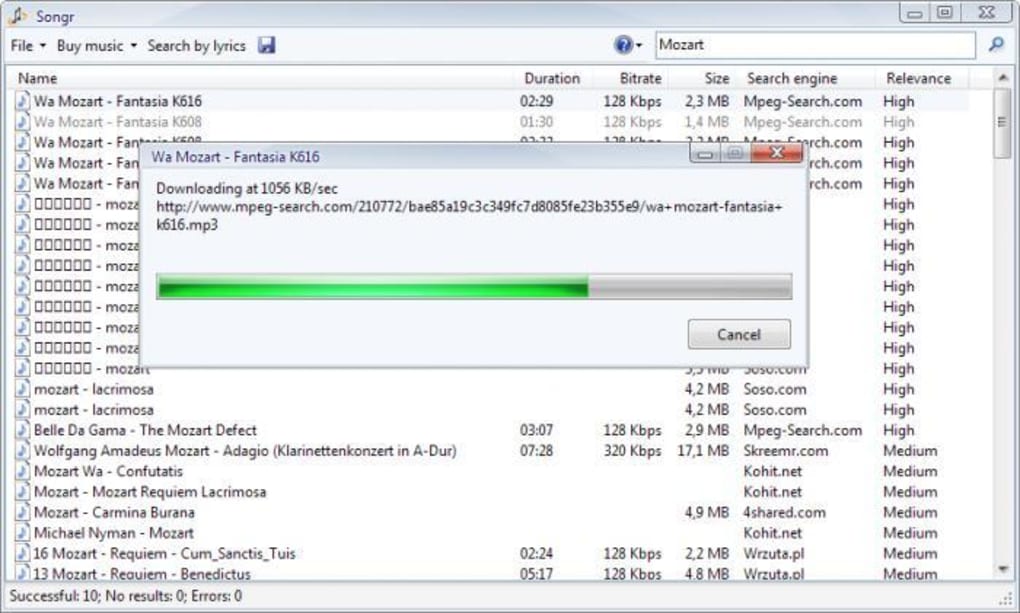
Once the program launches, you’ll see a prominent search box at the top. Type the song title, artist, or any keyword and press Enter. Songr instantly queries its network of search engines and presents a list of matching MP3 files. Each entry shows the track name, file size, source URL, and a small “Play” button for previewing the audio stream. To download, simply click the green “Download” icon; the file will be saved to the default “Downloads” folder within the portable directory, though you can change the path in the settings menu. The download process is direct – there’s no need to navigate external websites or solve captchas. After the file finishes, you can open it with any media player or import it into your preferred music library.
FAQ – Answers You Need
Is Songr Portable legal to use?
Songr itself is a legal tool; it only indexes publicly available MP3 files. Users are responsible for ensuring that downloaded tracks do not violate copyright laws in their jurisdiction.
Do I need an internet connection?
Yes, an active internet connection is required for searching and streaming previews. Downloads also need bandwidth, but the app works on any connection speed.
Can I download videos with Songr Portable?
The current portable version focuses on audio (MP3) only. Video downloading is supported in the full desktop edition, not in the portable build.
Is there a limit to how many songs I can download?
No artificial limits are imposed by Songr. You can download as many tracks as you like, provided the source sites allow it and you have sufficient storage.
How safe is the software? Does it contain malware?
Songr Portable is signed and regularly scanned by major antivirus engines. It contains no adware, spyware, or hidden trojans, making it a secure choice for everyday use.
Conclusion & Call to Action
If you’re searching for a quick, free, and secure way to build your personal MP3 collection without the complexities of torrents or the clutter of online ads, Songr Portable delivers exactly that. Its multi‑engine search, instant preview, and one‑click download workflow cut the time spent hunting for tracks dramatically. While the lack of a download‑resume feature might be a minor inconvenience for very large files, the overall speed and simplicity more than make up for it. Whether you’re a student working on a presentation soundtrack, a traveler wanting offline music for a road trip, or a casual listener expanding a playlist, Songr Portable’s portable nature ensures you can take it anywhere. Download the latest version today, extract it to your USB stick, and start filling your library with just a few clicks. Experience the freedom of fast, legal MP3 downloads—no installation, no fees, no fuss.







